Capture, review and export for free, with tab videos up to 60 seconds. Pro is $5 USD per month and includes five-minute videos and AI drafting. Pro+ is $10 USD per month for longer workflows and higher AI usage.
Follow a sample checkout bug from the first click to a ZIP export of two reports.
From browser tab to bug report
Reproduce it
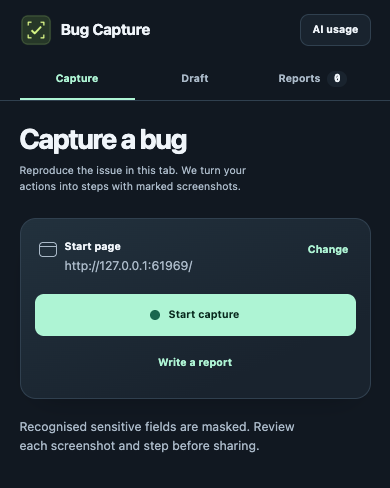
Open the Bug Capture side panel. Use the current page or choose Change to set the start URL. Select Start capture and reproduce the bug.
Review the evidence
Choose Stop and review. Describe the expected and observed results. Open a numbered screenshot to inspect it, or remove it from that step.
Share one bug or a batch
Choose Copy report to send one now. To work through several bugs, save each report, then select them under Reports and export together.
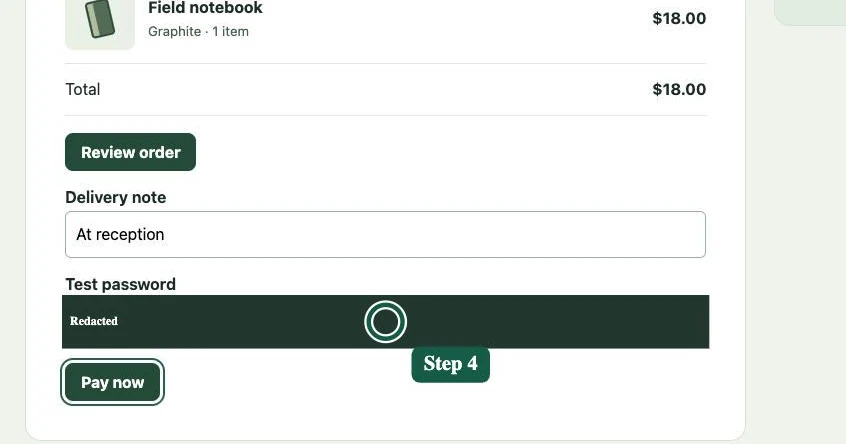
A screenshot is numbered to match its step. Recognised password fields are masked.
Share it where your team works
Use Jira CSV or a ZIP with numbered screenshots. Copy into an issue editor, or import the steps into Skaybase Test Management as regression test cases.
Select Connect third-party tools from the Capture screen or AI usage. You can also open a project tool from Export or send on a report. The panel uses the permissions of your existing project account.
Jira Cloud
CSV import
Choose Jira CSV when exporting one or more reports. In Jira, map Summary, Description and Issue Type to your project’s fields. Confirm the results before importing.
Ask your Jira administrator for access to the target project and permission to create work items. Bulk import may also require Make bulk changes.
Save your repository URL, such as https://github.com/team/project. Read access is sufficient to open and submit an issue if Issues are enabled. Bug Capture needs no GitHub token.
Save your GitLab.com project URL. A standard Guest role can create a single issue in an enabled project. With standard roles, CSV import starts at Planner. Your organisation's custom permissions may differ.
Save a team issue link such as https://linear.app/team/QA/new. Sign in to Linear and use a team where you can create issues. An administrator can import a batch with Linear’s CSV template and CLI importer.
Save a dev.azure.com project URL. Your account needs permission to create the work item in the project. Projects using the Basic process can save a create link ending in /_workItems/create/Issue.